
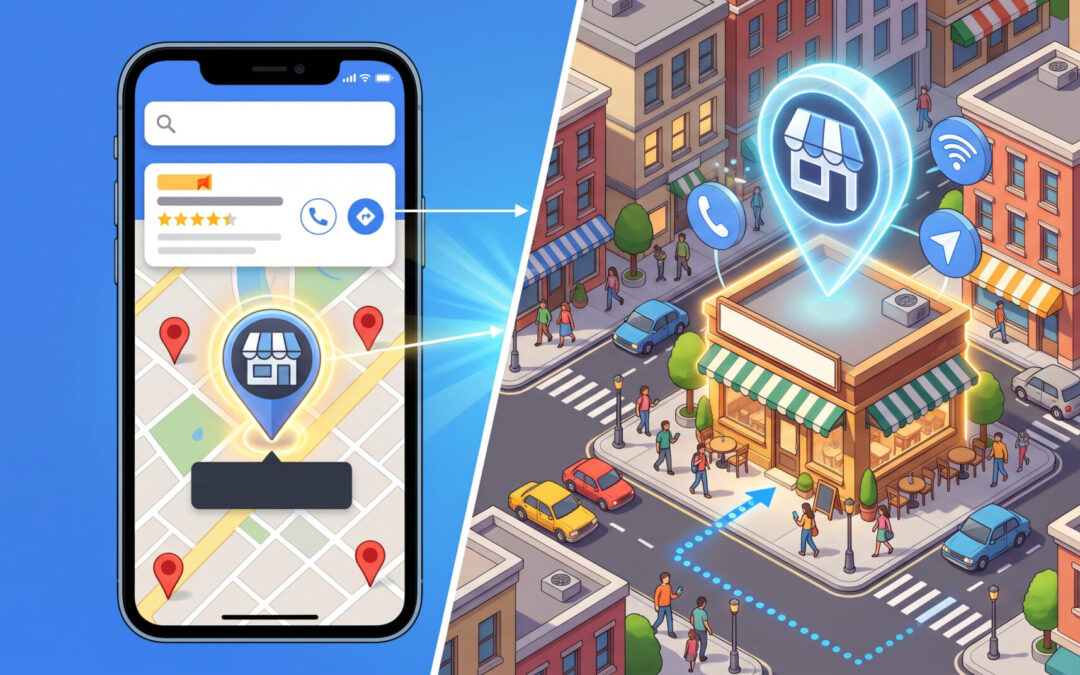
Search for a business in Dublin and you may see a listing marked Sponsored alongside the local map results. It can show the business’s rating, address and opening hours, with options to call, get directions or visit the website. If you’re the advertiser, you can pay for a click even when the person only opens your business details and stays on Google.
That can be money well spent if customers regularly visit your premises. If you mainly want people to view your work and request a quote, it’s worth checking how much those clicks cost and what they bring in.
How Sponsored Places work
Sponsored Places are paid local listings. They can appear in Google Search’s local results and in Google Maps, where Google also offers formats such as promoted pins and ads in the Maps search results. A Search campaign can become eligible for these placements when it has an approved location asset, typically connected to a verified Google Business Profile. The profile supplies details such as your address, opening hours and phone number. Location assets can also add business details to regular Search ads. Google’s guide to local ads
An eligible business can appear in both the sponsored local results and the regular text ads for the same search. You might see your business near the top of the map results while your text ad appears lower down or doesn’t show on that search. Text ad placement depends on Ad Rank, which takes into account your bid, ad relevance, landing page experience and the context of the search. Google’s guide to Ad Rank
What Google charges for

If “More information” opens or expands the sponsored business listing, Google can charge the advertiser. Google calls this a location detail click. The person could read your reviews, check your opening hours and leave without ever reaching your website.
In a standard Search campaign, Google can also charge when someone taps for directions, taps to call on a mobile device or clicks through to your website. A tap to call can incur a charge even if it doesn’t result in a conversation. Browsing photos in the listing, such as swiping through the carousel, is generally uncharged. Google says it bills for only one click type when a user interacts with multiple listed elements of the local ad. Google’s local ad billing rules and its guide to local search clicks
There’s no fixed Sponsored Places rate for Search campaigns. The same cost-per-click billing model applies, and the auction determines the actual price. A local listing click can cost more or less than a text ad click. Some formats use different billing. For example, Performance Max campaigns with shop goals can charge by impressions for branded pins in Maps. Google’s guide to actual CPC and its guide to Maps advertising
Who is most likely to benefit
The clearest fit is a business where being nearby helps someone decide to buy. A café can show that it’s open and a few minutes away. A garage can help a driver find its entrance or call to check availability. A shop or showroom can turn a directions request into a visit. In those cases, a customer can take a useful next step directly from the listing.
A local service business can also benefit if customers tend to check reviews and then call. For example, someone who needs a towing company may care about coverage and response time more than reading several pages of a website. A local listing can shorten the route to a call, provided you can measure the calls that turn into genuine enquiries.
When Sponsored Places may be a weaker fit
If customers rarely visit your premises or usually need more information before getting in touch, a text ad can send them straight to a page that answers their questions. Take “web design Dublin”. A Dublin address and reviews can help build trust, but someone choosing a web design company may want to see examples, compare packages and check what’s included before asking for a quote. The landing page gives them a direct route to that information.
Public practitioner feedback is mixed. Advertisers describe using Maps placements to generate directions for cafés and restaurants, while others report getting clicks from location assets without seeing qualified leads. Those accounts are anecdotal, and there’s little independent evidence to give a dependable cost-per-lead benchmark for a business like a web design agency. PPC practitioner discussion on restaurants and cafés and advertiser feedback on lead quality
How to tell if your sponsored listings are paying off

- In Google Ads, open Campaigns and choose Segment → Click type. Compare cost and average CPC for Get location details, Driving directions, Mobile clicks-to-call and website-bound clicks. This tells you which elements people clicked. Location-related clicks can also come from location assets on regular Search ads, so use the breakdown to understand interaction types. Google’s guide to reporting segments
- Check what your campaign counts as a conversion. Google can report taps for calls or directions as local actions. If your goal is lead generation, track completed quote forms and genuine calls separately so you can judge what each euro delivers. If visits matter, directions can be a useful signal of intent. Google’s guide to local action conversions
- If you switch off the location asset, keep bids and budget steady during the test. Compare qualified leads, cost per qualified lead and website clicks across comparable periods. Allow enough time for a useful number of enquiries before drawing a conclusion.
Turning off Sponsored Places may free up spend for text ads if the same campaign is constrained by budget and location clicks account for meaningful spend. If the listing gets lots of visibility but few paid clicks, there may be little spend to redirect. Check Search lost top IS (budget) and Search lost top IS (rank) to see which factor is keeping your text ads out of top positions. For a particular search, use Ad Preview and Diagnosis and set the location and device you want to check. A manual search only shows what happened in that auction. Google’s guide to top impression share and Ad Preview and Diagnosis
How to disable Sponsored Places in Google Ads
For a specific Search campaign, turn off its location asset.
1. Go to Campaigns → Assets.
2. Click + and choose Location.
3. Choose Campaign in the drop-down. You can also choose Ad group to apply the change at that level.
4. Click the pencil icon and select the campaign or ad group you want to change.
5. Choose No location asset and click Save.
This also removes location asset details from the regular Search ads affected by the change. Those ads can continue running, and your free Google Business Profile can still appear in Search and Maps. If you want to remove location assets from the entire account, go to Tools → Shared library → Location Manager → Business locations, open the three-dot menu and choose Remove all locations. Removing them account-wide also affects location-based targeting, bidding and shop visit tracking. Google’s instructions for removing location assets
Need help reviewing your Google Ads spend
If you’d like help working out which clicks are generating enquiries and whether Sponsored Places are earning their share of your budget, speak to Nuasoft about our Google Ads Management services.